
Interconnect Products
and Solutions Provider
CONSULTANCY Strong knowledge-base capabilites
LOGISTICS Service - Stocking & Warehouse Management
TECHNICAL Support - FAE Team, Training & Site Support
VALUE-ADDED Services - Connector Assembly, Kitting, Packaging & Labelling

Empower Businesses with Progressive Cable and Harness Test Systems.
Reliable and Efficient Testing Solutions.
Empower Businesses with Progressive Cable and Harness Test Systems.
Reliable and Efficient Testing Solutions.
No Matter Cable or Wire Harness
Our high-quality equipment and software guarantee your electrical assemblies' integrity, delivering peace of mind and boosting productivity.
Reach Us
(65) 6235 6355

No Matter Cable or Wire Harness
Our high-quality equipment and software guarantee your electrical assemblies' integrity, delivering peace of mind and boosting productivity.
Reach Us
(65) 6235 6355
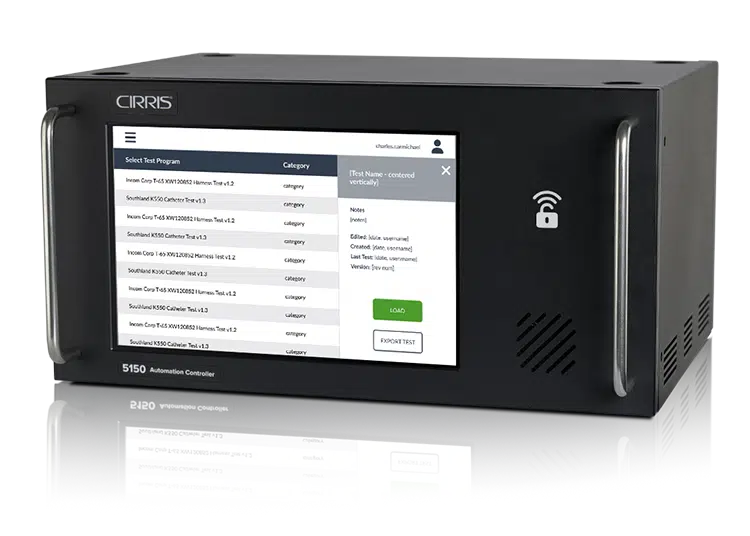
5150
Cable Tester & Automation Controller
The Cirris 5150 provides capable high voltage cable testing and has the flexibility to integrate with automated equipment.
The unit supports common PLC-machine communication protocols, digital IO, custom software applications, and high voltage testing options.
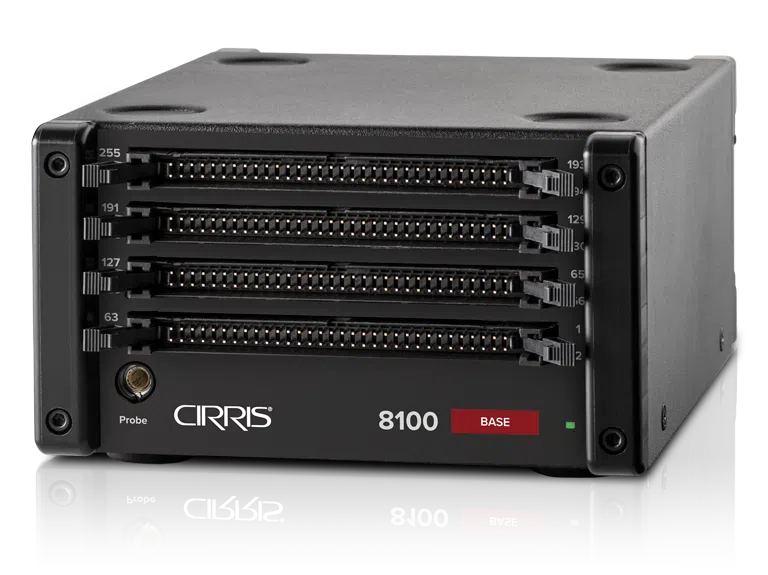
8100
Low Voltage Harness Tester
The 8100 is a practical and capable wire harness test system. Its small, compact units are non-intrusive to your space and can be expanded to accommodate the number of test points for your needs. Fast test setup and software-guided cable assembly make it easy learn and operate. The 8100 replaces the CR Tester.
Accessories
Expansion Box
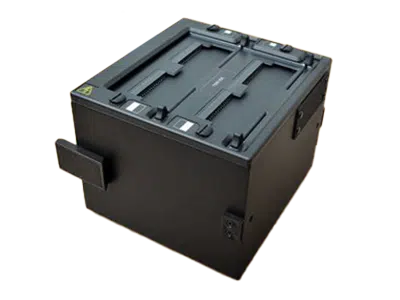
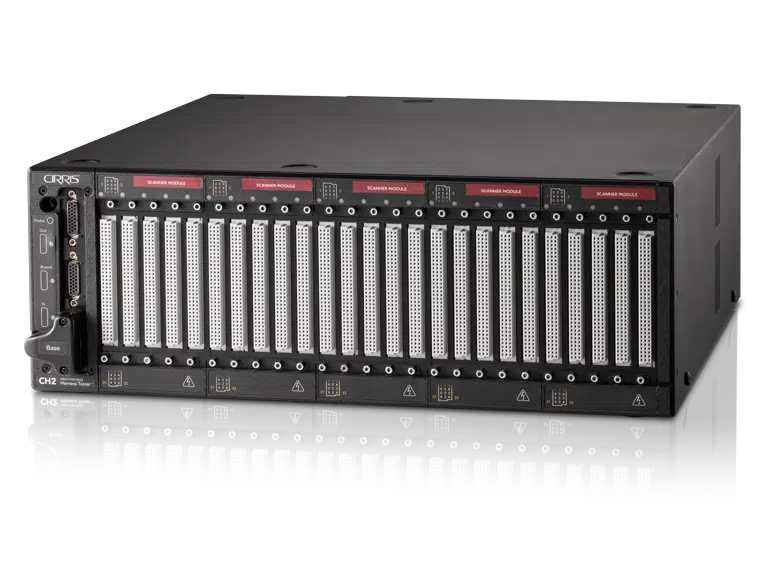
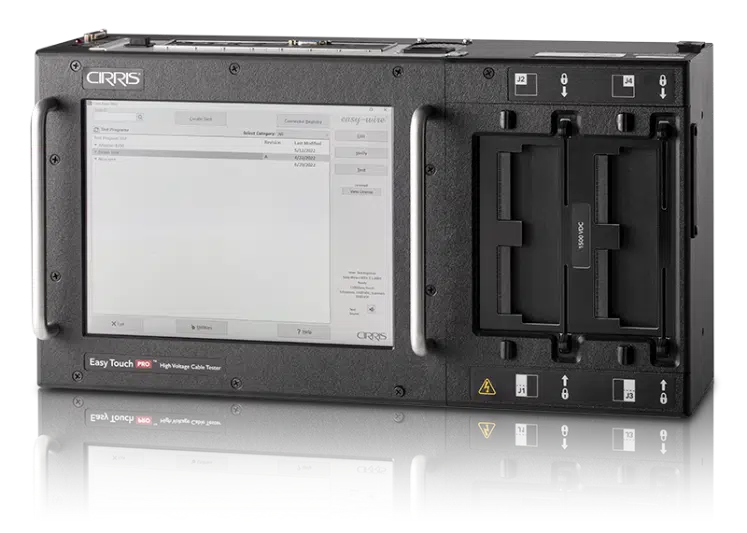
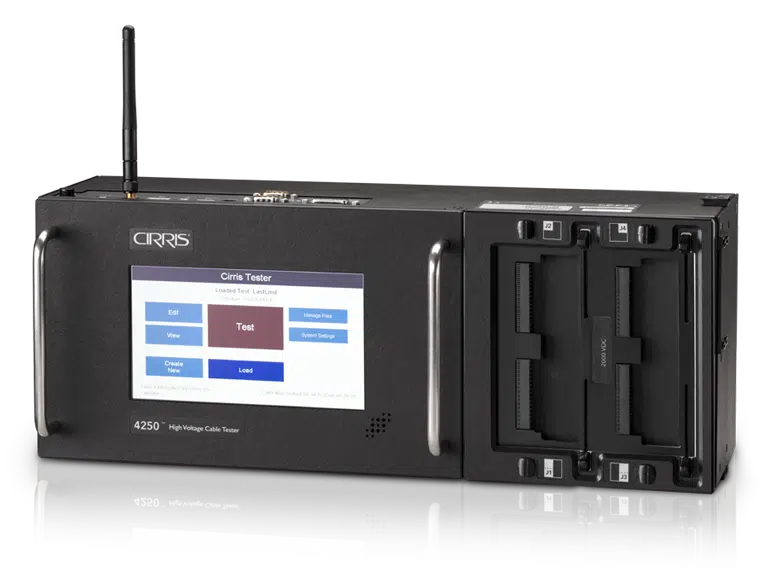
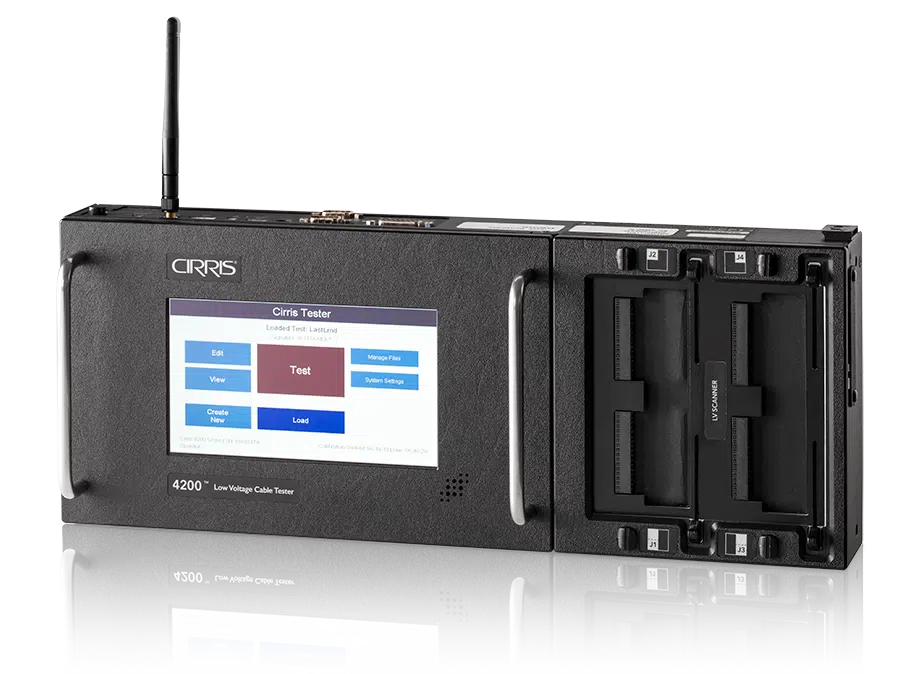
Increase the number of pins and amount of voltage for your tester: 4250, 4200, Easy Touch Pro, Ch2, 8100
Performance Check Kits
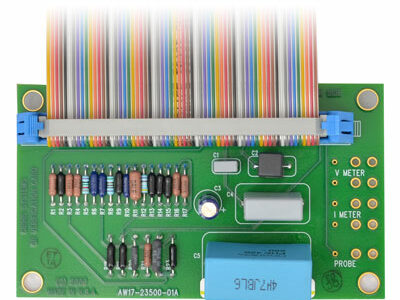
Certify that your Cirris test system is in compliance with the manufacturer’s standards
Adapters
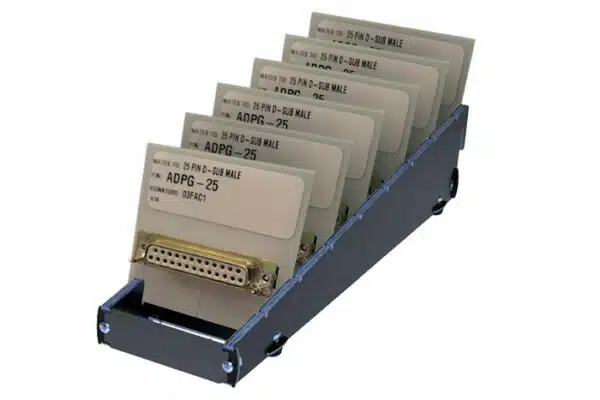
The Cirris Adapter System allows you to quickly and easily change between different connector types.
Software
Easy-Wire®

Testing program for the 8100, CH2, CR, and Easy-Touch® Pro test systems.
Cirris Server

Share the same tests between networked Easy-Wire Stations.
Cirris Tester Access

Share the same tests between networked Easy-Wire Stations.
LUA Scripting

Transform our off-the-shelf tester into a custom test solution.
OPC UA Server

Use this communication standard to integrate Cirris testers into your existing MES.
General Testing Guidelines
Fixturing, or the mating harness used to connect a device-under-test to the tester, can often be as susceptible to errors as the device being tested. Fixturing takes time to build and can be costly to repair or replace. Cirris offers 5 questions to evaluate the efficiency and durability of your fixturing.
1. How often should I verify my fixturing?
Many shops validate fixtures on a yearly basis. Other shops replace or recheck fixtures after a predetermined amount of cycles of wear. Some shops may wait until the fixturing fails.
The time spent to troubleshoot and repair a fixture will help determine how important it is to proactively maintain your fixturing.
Ask yourself, what does it cost you when a fixture goes bad? Money? Production time? Perceived quality? Customer confidence and good will?
2. Does my fixturing meet test standards?
Since the industry is trying to standardize build and test classifications, you have to show you meet some recognized standard to remain competitive with other shops.
For example, if A-620 were applied to fixturing, Class 1 products might use fixtures until they fail. Class 2 may check fixtures every 1-2 years, or as resistances fall outside of their established parameters. Class 3 could check fixturing at least yearly, and in extreme cases some companies might test fixturing before every test.
3. Should I populate all the pins in my fixturing?
Compared to the labor it takes to trouble shoot assemblies, populating all pins is a onetime cost and not very expensive.
Populating all pins means:
-
-
- You get better error identification from the test if all pins are loaded.
- You get better testing, since you do not get shorts or high voltage test results on the pins/sockets that are not populated.
- You can reuse the fixturing and connector on other assemblies using the same connector. If not all the pins are populated you create many variations of the same assembly.
-
Fixturing is not cheap, so get as much use out of an assembly as you possibly can by populating all pins.
4. Is it better to build my own fixturing or to outsource the work?
This depends on shop rate, expertise in-house, and delivery time.
In shops with dedicated fixture building resources, the work can be accomplished by one person or department. In larger organizations, building fixturing becomes as hard as building high mix and low volume cable assemblies.
Test Equipment companies, like Cirris, see how difficult it is for assembly shops to obtain parts and build fixturing. Many of these high mix low volume test shops produce fixtures. Although the prices can be higher for labor, the savings on this one time setup cost could be worthwhile. If you are price sensitive and have available resources, you can purchase the materials and perform the labor yourself.
For example, Cirris has generic mating cables that only need to be terminated on one end. This can reduce labor and delivery times.
5. What are the best practices for storing fixturing?
This depends on how your shop is setup and what lean practices you employ. Cirris customers have found creative and original ways of safely storing fixtures.
- Some shops bag and tag devices and use an organization method similar to the Dewey Decimal system.
- Some shops have automated vertical storage conveyers. The operator types a fixture number into a computer and an attached machine rolls around until it finds the right one.
- One company even used the dry cleaning conveyer system.
Best practice includes identification numbers for inventory and traceability. No matter your method, be sure to store your fixtures somewhere that is
- Clean
- Dry
- Easy to find
- Prevents mechanical damage (bent points) or marring of housings
- Marked with date made, last tested or verified date, and an identifying number/barcode.
Are Your Resistance Settings Correct?
Cirris has visited manufacturers who are unsure what values to use when setting up tests. While most times manufacturers understand the settings and get them right, occasionally problems occur when incorrect values are used. Problems can be caused if manufacturers leave the default settings or don’t question values passed down from previous supervisors. In many cases these settings are inappropriate for the device or situation.
One area where incorrect settings can impact test results is resistance. This concept can be difficult to understand, therefore making it hard to know how to adjust the settings when building a test program. This article will help you understand resistance and provide tools to ensure your settings are correct.
What is resistance?
Resistance is everything that inhibits the current (the flow of electrical charge). Think of resistance as obstacles that affect the flow of a river. In the wide, deep parts of the river, the water can flow unrestrained. When the river narrows, becomes shallow, or gets blocked by debris, the water cannot flow as smoothly.
In a cable, material, length, and components are like the depth, width, and debris in a river. They can affect the electrical current in a circuit. If a wire is connected correctly, the test will read low resistance. That means current is flowing through the wire as expected and reaching the required connections. If the tester reads high resistance it means something is impeding the current from reaching its destination.
Each wire naturally has some form of resistance that restricts the current. In order to get an accurate measurement, the tester needs to know what resistance to expect. If these settings are entered incorrectly, the tester may report an error when the problem is simply a resistance level set too low or too high.
What do resistance settings mean?
The value required for a resistance setting creates a limit on what is considered good and what is considered an error. For example, if a wire has a low voltage connection resistance value of 10.0 Ohms, connections below this value will be considered good. Resistance detected above this value will be reported as high resistance or an open error.
Connection resistance is only one type of resistance setting. Cirris testers require different types of resistance settings when creating a test program. The following explanations and diagrams should help you better understand what values to use for each resistance setting.
LV Connection Resistance: Checks for intended connections
Resistance detected below the connection resistance value will be seen as connections (shorts if unintended). Resistance detected above the insulation resistance is ignored. Resistance detected between the connection resistance and the insulation resistance will be called a High Resistance Error.

Insulation Resistance: Separates connections, opens, and shorts from what is ignored.
During a Shorts Test, any connection with a resistance measurement above this value is good. Connections below this value are considered shorts.

Component Resistance (For Cirris 4200 and Easy-Touch Pro testers):
This value should be set 5-25% less than the lowest component found in the device being tested.
How component LV settings define errors:

How component LV settings define shorts:

What about High Voltage (hipot)?
High voltage tests usually include an Insulation Resistance test which measures if the resistance of the insulation is high enough. The test checks that no more than an acceptable level of current is escaping the insulation. If the resistance is sufficient, the measured insulation resistance will be equal or greater than the insulation resistance setting for the test.
More about resistance
As mentioned above, all wires have some measure of resistance. The amount of resistance in a wire alone is minimal. If you were to calculate the amount of resistance in a single wire, it would fall below the required setting.
Why worry about resistance when it appears to be such a minor concern? The wire’s own material is not the only thing that causes resistance in a device. Connectors also create resistance. Then the fixturing cables that connect the device to the tester add resistance. All these sources of resistance should be taken into account when setting up a test.
How do you know what value to use?
Cirris has articles and tools that can help.
- Setting Practical Resistance Specs for Continuity Testing
This article discusses how to determine which setting to use for resistance. It is very helpful in knowing where to start if you are unsure what setting to use. - Guidelines for Setting Resistance Test Thresholds
This article also provides advice for determining which values to use for resistance settings. It recommends settings to use for different tests. - Wire Resistance Calculator & Table
This tool can help you calculate the resistance of a wire based on length and gauge. An advanced calculator can help determine resistance for test settings.
To the crew of the Apollo 13 they certainly mattered. The Apollo 13 “disaster” was caused by a spark emitted from wiring that had melted due to excessive temperatures. This in turn caused the number-2 oxygen tank in the service module to explode. The explosion blew away an entire panel on the service module. As a result of the damage, the Apollo 13 crew members were forced to use the lunar module as a lifeboat back to Earth. Like the crew, we use machines and electrical equipment that contain miles upon miles of wiring inside them.
Each day, throughout the day, you use and operate equipment that utilizes electrical connections. From the wiring in your cell phone to the wiring in your car; from the cables in your microwave to the harnesses in aircrafts, you depend on these connections more than you realize. You hope that they are wired correctly, but if they are not, or if the wiring is damaged, you will usually find out at the worst possible time–such as when you’re driving through the 126°F desert and the A/C unit of your car burns up because the manufacturer installed the wrong gauge wire.
Electrical connections are responsible for bringing power and “life” to your devices. We are surrounded by technology, so it is not surprising that most of the tasks we perform require good electrical connections. Indeed, anything that “turns on” depends on electrical connections to function. We can use human anatomy as a comparison: We, too, depend on connections (veins and arteries) to carry blood around our bodies to keep us alive and give us the power to operate.
We typically take electrical connections for granted until something goes wrong. And if something does go awry, the consequences could be enormous, such as:
- Lost data
- Costly repair or replacement of devices or vehicles
- Death (e.g. imagine if the wiring in your aircraft is faulty)
There are methods to help you assemble wires: the wiring schematic, a bill of materials, and labels. However, once assembled, how can you prove the assembly is sound and wired correctly?
First, you use your eyes. By looking you can measure workmanship quality in terms of the mechanical aspects of an assembly. For example, you can see if you have good crimps, satisfactory splice junctions, and proper isolation of shields and conductors. Conversely, what your eyes cannot tell you is how the electricity flows when the assembly is filled with electrons. We cannot see electrons, just as we cannot see how well those electrons move. The quantity of electrons within the mechanical wires, harnesses, or backplane assemblies are responsible for the functionality of a device. The data or signals produced by these electrons are needed to fire a missile, launch an aircraft, and operate life-saving medical equipment.
Considering the fact that we cannot rely on our eyes to measure electron flow in our assemblies, we have to use test equipment. If you manufacture cables and harnesses or equipment that utilizes electrical connections, then it is your responsibility to make sure these connections are working as they should.
What Are You Testing For?
Here are some potential cable/harness errors you should to test for:
- Opens (current is not flowing to and from the points it is meant to)
- Shorts (current is flowing to the wrong place)
- Miswires (combination of an open and a short)
Problems like these will cause your connections to fail and may negatively affect the integrity of your device or bring harm to the people directly involved with the equipment.
Components
Your testing needs may go beyond that. You might need to test assemblies that contain passive components such as:
- Resistors
- Diodes
- Capacitors
- Twisted pairs
If the device you are testing has any components, there needs to be a way to account for these components when performing tests. For instance, if your test method is designed to use a low resistance to check a connection between two points, a highly resistant component will mimic an open. Your test method needs to be able to make an allowance for this component. Your test method should also check to make sure that the components are correct (e.g. appropriate resistance, diode in proper orientation, etc.).
High Voltage Testing
Low voltage testing reveals opens and shorts that will always cause problems in your cables. However, high voltage (hipot) testing can detect errors that may not cause problems immediately, but may cause problems in the future. If you are testing systems that cannot tolerate any possibility of failure, such as those that are critical for safety, then hipot testing is necessary.
Hipot testing can be likened to water pressure in a hose. If there is a hole in the hosepipe, you are more likely to see water leaking out of it (and thus find its location) if the water pressure is strong. The same goes for the pressure or “strength” of current flow in a cable: the greater the voltage, the more likely the current will “arc” and thus alert us of insulation damage, near shorts, etc.
Some problems that hipot testing can detect (that low resistance testing may not find) include:
- Damaged insulation
- Stray wires
- Contaminants such as solder flux
Some folks still do it the old-fashioned way: make the assembly, plug it into the product and see if the product works. This is known as functional testing. Is there a cost in doing this?
Functional Testing Case Study
A company that makes surveillance equipment for military and homeland security contracts a supplier to build a wire assembly for a $100,000.00 gyroscopic camera. The camera has lasers, night vision, HD Video, anti-shake, and 360-degree viewing. Mounted to a UAV or helicopter, it can find a fugitive hiding in a ditch or a lost child on a mountain top at night, chilled to the bone.
When the harness was plugged into the array of camera sensors and equipment and powered on (functional testing), smoke billowed out and it became apparent that the assembly was bad. As it turns out, the laser in the camera received the wrong voltage because a connection had been miswired to a higher-voltage supply line. The cost of this single electrical wiring error was–you bet–$100,000.00. Although functional testing is an important part of the process, it should NOT be the first part of the process, as we have just seen.

Most of us are familiar with handheld electrical circuit testers because they are used by electricians everywhere. An electrical circuit tester is a handy, cost-effective tool that allows you to see if electrons are flowing. Some of these are handmade with a 9V battery and a speaker that buzzes or beeps (beep box) so you can hear whether or not there are any electrons present. Some have a light (light probe) that illuminates when a connection is detected. A handheld tester cannot tell you how many electrons there are, it simply lets you know if they are flowing–which is still a step up from the total lack of testing in the above example.
The problem with this device is that the more complex the assembly, the less effective a handheld probe tester is. A few wires such as those found in a trailer harness would be fine, but take a harness that is more complex.
It would take one or two people several hours to probe a complex harness using a handheld electrical circuit tester, and they would have to probe very carefully over every single circuit. They would be able to learn if the electron current flows to the places designated in the schematic, thus providing a decent continuity test (a continuity test is the testing of an electric circuit to see if current flows). If electron flow is inhibited by broken conductors, damaged components, or excessive resistance, the light on the handheld device won’t turn on or the speaker won’t beep. This indicates that the circuit has an “open.” This method typically misses shorts and most miswires.
This method of testing is the way it has been done in the past and is sometimes still done today. The cost is low and the man power is high, but at least it is better than the “Poke and Hope” method of a functional test.
Beeping 2.0

The galvanometer was a revolutionary instrument originally devised in 1820. It was improved to become a field-capable device in the 1920s by a British post office engineer who wanted an improved multifunctional tool to troubleshoot phone lines. This handheld device is known today as a digital multimeter. It not only detects electrons, but also measures “electrical” quality, which is based on one of three factors:
- Voltage (measured in volts)
- Resistance (measured in ohms)
- Current (measured in amps)
This tool has the same two leads (red and black) as the beep box or light probe we discussed earlier. It has a beep mode and one or two people can measure the flow of electrons through the wires of the device-under-test.
This device is still used heavily today and is the de facto cable tester.
Semi-Automated Electrical Tester

Digital Multimeter + Schematics + Human = Semi Automated Electrical Tester
Using semi-automated electrical testers greatly improves the quality of electrical connections. However, the more complex the assembly, the slower and less accurate these testers are. Fatigue, human error, and time become limiting factors.
If it takes two people 30 seconds to look at the schematic and probe the circuit points to make sure it is correct, then it will take them 50 minutes to probe 100 points (not including the time it would take them to record the results). This goes without mentioning how tired they may become mentally and physically during the process. Furthermore, what if there is a short or a miswire? A digital multimeter only has two leads and therefore the tester can only check two points at a time. In order to find the fault, the workers would start by probing the first of the 100 points that are supposed to be connected. Then, while probing this point, they would have to take the other lead and probe each of the 100 points that are not supposed to be connected. The workers would then probe the second point that is supposed to be connected and again probe each of the remaining points that are not supposed to be connected, and so on.
It’s time to calculate how many measurements or “probes” the workers have to make. This sort of calculation is called a permutation. To calculate the number of permutations required in our scenario you would use the equation
(N) x (N – 1) / 2
meaning you would probe the first point to points 2 through 100, the second point to points 3 through 100, and so on. If you had 100 points to measure the equation would be
(100) x (100 – 1) / 2 = 4,950
different possible measurements that you would need to make. At 30 seconds per test this would take nearly 41 hours! This is a very common practice for testing low-volume harnesses. While it is time-consuming it can be, and is, done regularly. However, for a very large and complex harness you could be talking several weeks’ worth of probing, and we have not even begun to talk about checking for insulation integrity yet!
Summary
- A Continuity Test checks for electron flow.
- Hand Beeping requires time. It’s prone to human error due to fatigue and losing one’s place on the schematic.
- If you want to check for shorts, you have to make a lot of redundant measurements.
Automated Electrical Testing for Continuity
Imagine a new kind of tester–a digital multimeter that has hundreds, if not thousands, of test leads coming out of it. The tester has a switch inside that allows each lead to alternate between + and -.
It isn’t too practical to have hundreds of people holding those leads, so let’s turn those leads into mating connections (test points). Should you need to, this tester also allows you to add more mating connections in order to increase the number of measurements you can make.
Now, instead of having to manually probe your circuits two points at a time, wouldn’t it be nice to take your schematic and load the diagram data into the tester? This way, you can take those measurements without even needing to be there. What’s more, there won’t be any operator fatigue, and you will get more consistent results. In addition, your tester can check those 10,000 points (as mentioned in above) in seconds because it is able to measure more than two points at once. Since you’re measuring the voltage, resistance, and/or amps, go ahead and have your tester record these measurements and print a report. Too much to ask? Nope! Such is the power of automated testing!
So why use handheld digital multimeters at all? Well, as you build an assembly you might want to make sure the wires are able to conduct electricity. Or, you may need a multimeter to troubleshoot a circuit that an automated tester deemed as bad. Additionally, some assemblies simply do not justify the cost of manufacturing the mating connectors that plug into Cirris’ automated tester. If you’re assembling something simple like a refrigerator or a dishwasher, placing the wires in the correct place may be all that matters. In situations like these where measurements and data are not required, a multimeter can still produce good results.
Cirris Systems Automated Test Equipment
Cirris Systems provides automated electrical testers that perform low and/or high voltage tests on cable and harness assemblies—of all sizes and for all industries—in a matter of seconds. These testers will not only diagnose cable and harness errors such as opens, shorts, and miswires, but they will also indicate the location of the error. Cirris testers also test assemblies with components, including (but not limited to) resistors, diodes, capacitors, LEDs, switches, and twisted pairs.
Many Cirris products utilize advanced software that offers many capabilities, such as:
- Guided assembly,
- reporting,
- Importing and exporting data files, and
- Operator access control.